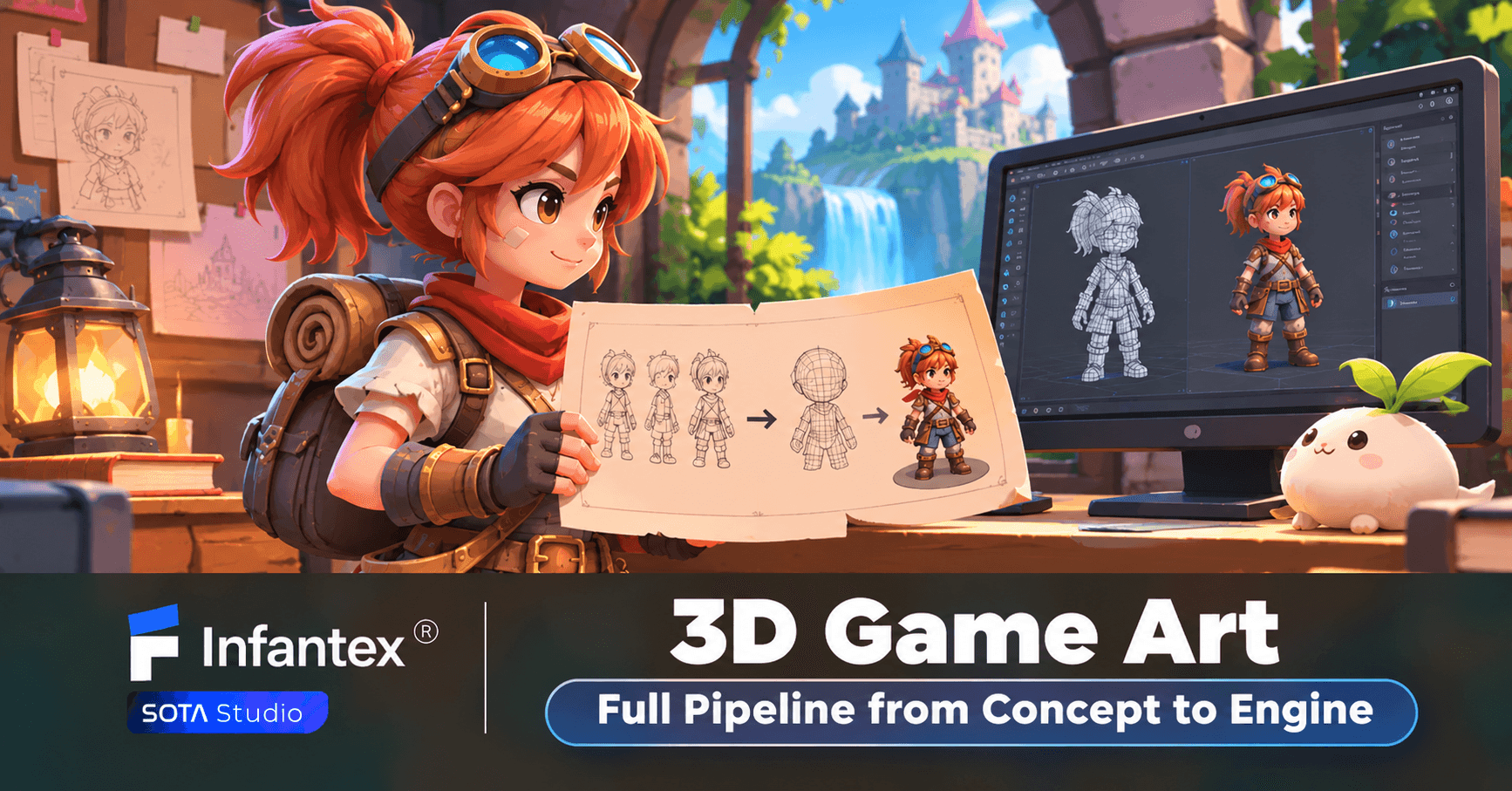
A great game is not defined by gameplay alone. Its characters, environments, and visual details shape how players experience and remember it. Behind every immersive game world is a carefully managed 3D game art process that turns creative ideas into interactive, engine-ready assets. A well-structured 3D game art pipeline helps studios maintain visual consistency, improve production efficiency, and deliver high-quality results.
In this guide, we explore the complete 3D game art workflow, from initial concept development to final engine integration. We also examine the factors that define production-ready assets and how game studios can optimize their art production process.
What Is 3D Game Art?
3D game art refers to the visual elements created in three-dimensional space for video games. Unlike 2D game art, which uses flat images, 3D assets have depth, volume, and geometry. 3D game art covers several production areas, including character modeling, environment design, prop creation, texturing, rigging, and animation. These elements work together to establish the visual style and atmosphere of a game.
The complexity of 3D game art depends on the project's genre, target platform, and artistic direction. A mobile game may require lightweight assets with optimized geometry, while a high-end PC or console title may demand detailed models, advanced materials, and complex animations. Regardless of the target platform, a consistent production pipeline is essential for delivering assets that meet both artistic and technical requirements.
The 3D game art pipeline is a series of production stages that transform an initial creative concept into a fully functional asset inside a game engine. Each stage builds on the previous one, ensuring that the final result matches the project's visual direction and performance requirements.
1. Concept Art and Visual Development
Every 3D asset begins with an idea. Concept art translates that idea into visual references that guide the entire production process. At this stage, artists develop character designs, environment layouts, props, color palettes, and visual styles. They explore different shapes, proportions, materials, and artistic directions before moving into 3D production.
For larger projects, concept artists also establish visual guidelines to maintain consistency across different assets and production teams. These references help 3D artists understand the intended appearance, scale, and functionality of each element. A clear concept development stage reduces unnecessary revisions later. It also ensures that artists, designers, and developers share the same understanding of the project's visual goals.
2. 3D Modeling and Asset Creation
Once the concept is approved, artists begin 3D game modeling. This stage involves building three-dimensional objects using polygons, vertices, and surfaces to define their shapes and structures.
Depending on the project, artists may use techniques such as box modeling, sculpting, or procedural modeling. Character models often require careful attention to anatomy, proportions, and facial features. Environment artists focus on architectural structures, terrain, vegetation, and surrounding objects.
The modeling process generally follows one of two approaches: high-poly and low-poly modeling. High-poly models contain dense geometry and intricate details. They are commonly used to capture fine surface features, wrinkles, mechanical components, and complex shapes. Low-poly models use fewer polygons to reduce rendering costs and improve performance in real-time environments.
Many production workflows use high-poly models as a reference for creating optimized low-poly versions. Effective 3D asset creation also requires attention to scale, topology, and polygon distribution. Assets must be visually appealing while remaining suitable for the target platform and gameplay requirements.
3. UV Mapping and Unwrapping
After modeling, artists prepare the 3D model for texturing through UV mapping. A 3D model exists in three-dimensional space, but its textures are typically stored as two-dimensional images. UV mapping converts the model's surfaces into a flat layout so that textures can be applied accurately.
Artists create UV maps by unfolding the model's geometry into separate sections called UV islands. They then arrange these islands within the available texture space. Good UV mapping minimizes distortion, avoids unnecessary overlaps, and uses texture space efficiently. Poor UV layouts can cause visible stretching, inconsistent details, or wasted texture resolution. For game assets, efficient UV mapping is particularly important because texture memory is limited. Well-organized UV layouts make it easier to maintain visual quality while controlling resource usage.
4. Texturing and Material Creation
Texturing gives 3D models their visual identity. It defines how surfaces look and respond to lighting, helping artists transform basic geometry into believable characters, environments, and objects. Artists use tools such as Substance 3D Painter and Substance 3D Designer to create textures and materials. Common texture maps include Albedo or Base Color, Normal, Roughness, Metallic, and Ambient Occlusion.
Each map controls a different visual property. Base Color defines surface color, Normal maps simulate small surface details, and Roughness determines how light interacts with a material. Metallic maps help distinguish metallic surfaces from non-metallic ones.
Material creation also plays an important role in establishing a game's artistic style. A realistic game may require detailed surface imperfections and physically based materials, while a stylized game may use simplified textures and exaggerated colors.
5. Rigging and Skinning
For animated assets, the next stage is rigging. This process creates a digital skeleton that controls how a 3D model moves. A rig consists of interconnected bones and control systems that allow animators to manipulate different parts of a character. Skinning then connects the model's geometry to the skeleton by assigning weights to individual vertices.
These weights determine how the mesh deforms when bones move. Proper skinning helps prevent unnatural bending around joints such as shoulders, elbows, knees, and fingers. Character rigging can range from simple setups for basic movements to advanced systems with facial controls, inverse kinematics, and complex deformation features.
6. Animation and Motion Development
Animation brings characters, objects, and environments to life. For characters, animation may include walking, running, jumping, attacking, interacting, and facial expressions. Environmental animations can involve moving platforms, opening doors, flowing water, or other interactive elements.
Artists often create animations using keyframe techniques or motion capture data. Keyframe animation provides direct control over timing and movement, while motion capture can produce realistic human motion from recorded performances.
Animations must also be designed with gameplay in mind. Character movements should feel responsive, transitions should remain smooth, and animation timing should support the game's mechanics. For this reason, animation is not only a visual task. It requires close collaboration between artists, animators, and gameplay developers.
7. Optimization and Engine Integration
The final stage of the 3D game art pipeline is preparing assets for integration into a game engine. Artists and developers import models, materials, textures, rigs, and animations into engines such as Unity or Unreal Engine. They then configure asset settings and test how each element performs in the actual game environment.
Optimization is particularly important for real-time applications. Assets that look impressive in a 3D modeling tool may cause performance issues when used in a game. Common optimization techniques include reducing polygon counts, using Level of Detail (LOD) models, compressing textures, optimizing materials, and managing draw calls. Artists may also adjust collision meshes and asset hierarchies to support gameplay requirements.
After integration, the team checks lighting, material appearance, animation behavior, and performance across target devices. Any issues discovered during testing are sent back to the relevant production stage for refinement. This final validation ensures that 3D assets are not only visually complete but also functional and ready for gameplay.
Key Factors That Define High-Quality 3D Game Art
A successful 3D game art project requires more than completing each production stage. The quality of the final assets depends on how well artistic decisions align with technical requirements and gameplay needs.
1. Consistent Art Direction
Art direction defines the visual identity of a game. It establishes the style, color palette, proportions, materials, and overall appearance of its assets. Consistency is particularly important for large projects involving multiple artists. Characters, environments, and props must share a recognizable visual language, even when different teams work on them.
2. Optimized Geometry and Topology
Good topology provides a clean structure for 3D models. It affects how models deform during animation and how efficiently they perform in real-time environments. Artists must consider polygon distribution, edge flow, and mesh complexity when creating game assets. High-detail models may look impressive, but unnecessary geometry can increase rendering costs without adding meaningful visual value.
3. High-Quality Textures and Materials
Textures and materials determine how objects appear under different lighting conditions. They contribute to surface realism, visual depth, and the overall atmosphere of a game.
High-quality texturing requires attention to resolution, material properties, and consistency across assets. Artists must also ensure that texture maps work correctly within the selected rendering pipeline. Well-crafted materials can make even relatively simple models look polished and visually engaging.
4. Technical Compatibility and Performance
A 3D asset must work correctly inside its target game engine. Models, textures, rigs, and animations need to follow the project's technical specifications.
Performance also matters. Excessive polygon counts, large textures, and inefficient materials can affect frame rates and loading times. Testing assets in the actual development environment helps identify compatibility issues and ensures that visual quality does not come at the expense of gameplay performance.
5. Efficient Production and Quality Control
An effective production pipeline requires clear communication between artists, designers, and developers. Each asset should follow agreed specifications and pass quality checks before moving to the next stage. Regular reviews help identify visual and technical problems early. Standardized naming conventions, organized file structures, and consistent export settings also make asset management easier.
Common Challenges in 3D Game Art Production
Creating high-quality 3D game art involves several challenges that can affect production time, development costs, and final asset quality.
Maintaining Visual Consistency
Large game projects often involve multiple artists working on characters, environments, and props simultaneously. Without clear visual guidelines, assets may differ in proportions, materials, lighting styles, or levels of detail. Art direction documents, shared references, and regular quality reviews help maintain consistency throughout production.
Balancing Visual Quality and Performance
Detailed models and high-resolution textures can improve visual quality, but they also consume more memory and processing resources. This creates a challenge for projects targeting mobile devices, low-end hardware, or platforms with strict performance requirements. Artists must balance visual detail with polygon budgets, texture limits, and rendering capabilities.
Managing Production Time and Costs
A complex 3D game art pipeline requires specialized skills across multiple disciplines. Delays in one stage can affect the entire production schedule, especially when assets require repeated revisions. Clear approval processes, realistic production milestones, and effective collaboration between artists and developers can reduce these risks.
Integrating Assets into the Game Engine
An asset may look correct in modeling software but behave differently after import. Material compatibility, incorrect scale, broken animations, and lighting differences can create additional work during integration. Testing assets in the target engine throughout production helps identify technical issues earlier and reduces last-minute adjustments.
As game projects become more visually demanding, studios often need additional production capacity without significantly expanding their internal teams. 3D game art outsourcing offers a practical way to access specialized artists and scale production according to project requirements.
Instead of managing every production stage internally, studios can work with an external team for specific tasks such as character modeling, environment art, texturing, animation, or complete 3D asset creation. Outsourcing also provides flexibility. A studio can bring in additional artists during intensive production periods and adjust team size as project requirements change.
However, successful outsourcing depends on more than artistic quality. The external team must understand the project's art direction, technical specifications, communication process, and delivery standards. A reliable game art outsourcing partner should be able to maintain consistent quality, follow established pipelines, and deliver assets that integrate smoothly into the development environment.
Build High-Quality 3D Game Art with Infantex
For studios looking to scale their visual production, working with an experienced outsourcing partner can help reduce internal workload while maintaining consistent asset quality. Infantex is proud to provide professional game art outsourcing services for international game studios and businesses. With over 7 years of experience in the game development industry and 50+ projects delivered for clients, Infantex understands the creative and technical requirements of modern game production.
Our team supports game studios throughout the art production process, from early visual concepts to production-ready assets. Our capabilities cover 3D Character Art, 3D Environment Art, Concept Art, Splash Art and Key Visuals, Animation, and LiveOps Content.
Our flexible outsourcing model allows game studios to access specialized artists or expand their production teams based on project requirements. Visit our Game Art and UI/UX services page to explore our capabilities and discuss your next project with our team.
Conclusion
A complete 3D game art pipeline connects creative development with technical implementation. From concept art and 3D modeling to texturing, rigging, animation, and engine integration, every stage contributes to the quality and performance of the final game. With the right production team and pipeline, game studios can turn creative concepts into immersive, engine-ready experiences.
Frequently Asked Questions (FAQs)
1. What is a 3D game art pipeline?
A 3D game art pipeline is a structured workflow used to create and prepare 3D assets for video games. It typically includes concept art, modeling, UV mapping, texturing, rigging, animation, optimization, and game engine integration.
2. What are the main stages of 3D game art production?
The main stages include concept development, 3D modeling, UV mapping, texturing, rigging, animation, and engine integration. Some projects may add additional stages depending on asset complexity and technical requirements.
3. What software is commonly used for 3D game modeling?
Popular tools include Blender, Autodesk Maya, and ZBrush. Artists also use Substance 3D Painter and Substance 3D Designer for texturing and material creation.
4. What is the difference between high-poly and low-poly modeling?
High-poly modeling uses dense geometry to capture complex shapes and fine details. Low-poly modeling uses fewer polygons to reduce processing costs and improve real-time performance. Game production often uses high-poly models as references for creating optimized low-poly assets.
5. How long does it take to create a 3D game asset?
Production time depends on the asset's complexity, level of detail, animation requirements, and technical specifications. A simple prop may take considerably less time than a detailed character or large environment. Revision cycles and approval processes also affect the final timeline.
6. Why should game studios outsource 3D game art?
Game art outsourcing helps studios access specialized talent, expand production capacity, and manage development resources more flexibly. It is particularly useful when internal teams need additional support for character art, environment creation, animation, or large-scale asset production.
7. Can outsourced 3D game assets be integrated into Unity and Unreal Engine?
Yes. Professional game art outsourcing teams can prepare assets for Unity and Unreal Engine based on the project's technical requirements. This includes appropriate file formats, materials, textures, rigs, animations, and optimization settings.